One of the most important data processing steps in GIS works is defining/changing coordinate system. It is crucial to get accurate results from our analysis. In this post, I will try to explain how to do it in QGIS with details.
Change Coordinate System of the Project
We first need to change the coordinate system of the project we work on (if we wish). You can see coordinate system information on the right bottom of the project page.
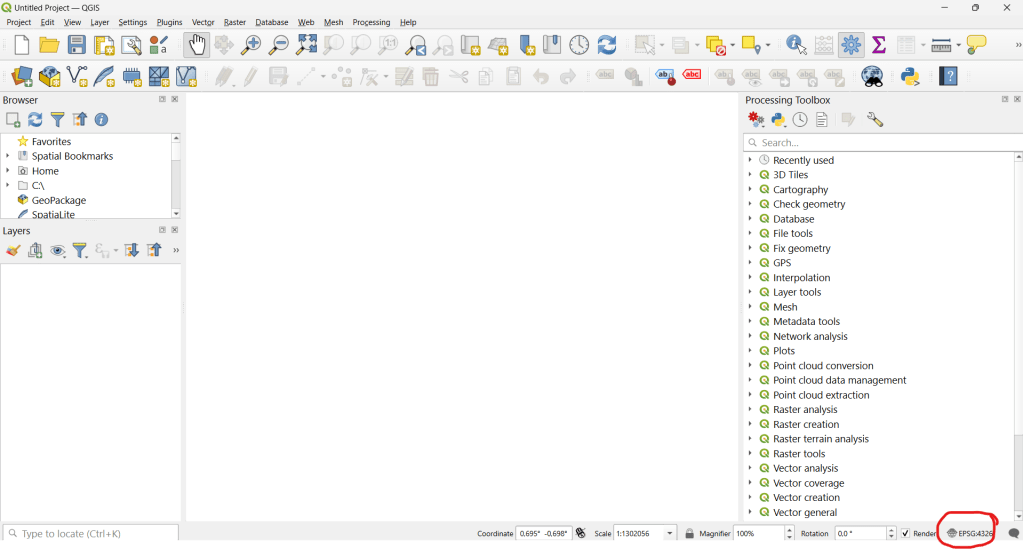

I will select WGS 84 UTM Zone 35N now for the sake of the data i will use.
Define Coordinate System for the Data
Let’s upload the data we are going to use to the project;

If the data does not have any defined coordinate system, you will get a warning on the top of the page, indicating “undefined CRS”. You can proceed with that warning and defined the CRS you are going to work on.
Change Coordinate System of the Data
We need to right click on the data on Layer Panel and select Properties -> Source to see coordinate system information.

It is possible to change the coordinate system of that data on this window. However, this only redefines how QGIS interprets the layer’s coordinates. Coordinate values do not change so It does not reproject the actual data. To permanently reproject a layer, we need to use Reproject tool
To reproject the data, you can go to top menu and click Vector -> Data Management Tools -> Reproject Layer
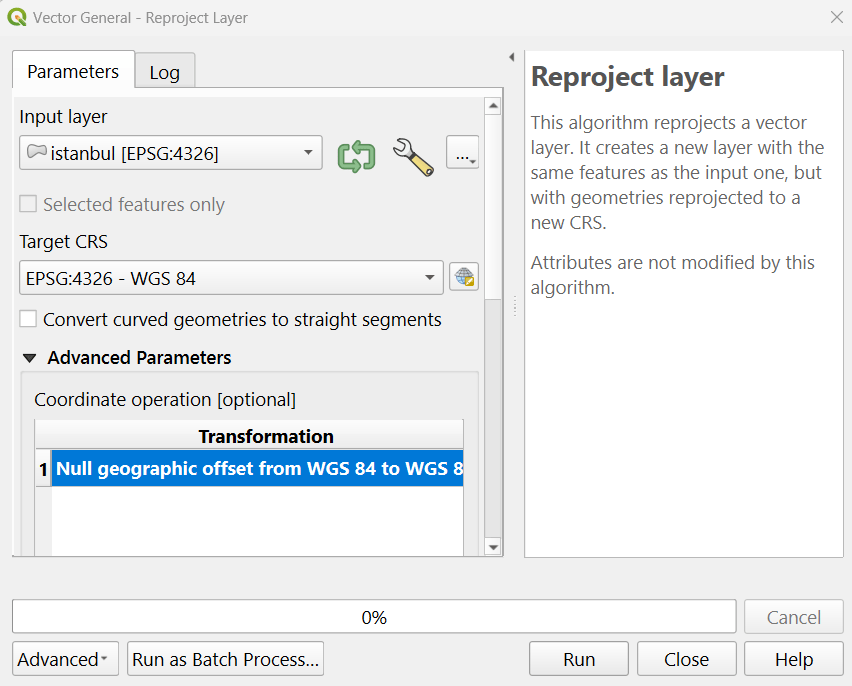
When you run the tool, a new layer with the defined coordinate system will be created and appear on the layer panel;

 GIS Learn
Leave a comment